
LonGrad2.0 - App Store
You'll be able to see results in few seconds.
Publisher Description
, . , , .
-
- ,
-
-
-
.
LonGrad iPhone app is an extension of a hugely popular and unique Russian language portal aimed at Russian speakers looking for information about the London real estate market in particular and other UK property related issues (such as law and property finance) in general.
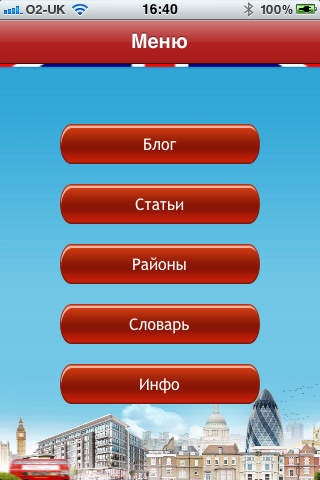
In this app you can find: a daily news blog, which provides a snapshot of the most important London property market related news and updates. Property market reviews and research, interviews and podcasts. A range of articles written by us (and our guest bloggers) on various property related matters, including mortgages, planning, property law (including leasehold reform & conveyancing), how to choose an agent, where to find a good surveyor or an architect, etc. Description of various London areas and specific streets, listed buildings and conservation areas. Links to property related professionals (estate agents, solicitors, mortgage brokers, architects, interior designers, surveyors, etc.).
Requires iOS 3.1 or later. Compatible with iPhone, iPad, and iPod touch.
About LonGrad
The company that develops LonGrad is Revel Group. The latest version released by its developer is 2.0.
To install LonGrad on your iOS device, just click the green Continue To App button above to start the installation process. The app is listed on our website since 2011-07-25 and was downloaded 0 times. We have already checked if the download link is safe, however for your own protection we recommend that you scan the downloaded app with your antivirus. Your antivirus may detect the LonGrad as malware if the download link is broken.
How to install LonGrad on your iOS device:
- Click on the Continue To App button on our website. This will redirect you to the App Store.
- Once the LonGrad is shown in the iTunes listing of your iOS device, you can start its download and installation. Tap on the GET button to the right of the app to start downloading it.
- If you are not logged-in the iOS appstore app, you'll be prompted for your your Apple ID and/or password.
- After LonGrad is downloaded, you'll see an INSTALL button to the right. Tap on it to start the actual installation of the iOS app.
- Once installation is finished you can tap on the OPEN button to start it. Its icon will also be added to your device home screen.
Program Details
System requirements
Download information
Pricing
Version History
version 2.0
posted on 2011-07-25
Disclaimer
Official App Store Link
We do not host LonGrad on our servers. We did not scan it for viruses, adware, spyware or other type of malware. This app is hosted by Apple and passed their terms and conditions to be listed there. We recommend caution when installing it.
The App Store link for LonGrad is provided to you by apps112.com without any warranties, representations or guarantees of any kind, so access it at your own risk.
If you have questions regarding this particular app contact the publisher directly. For questions about the functionalities of apps112.com contact us.
